
You probably already have a sample test case for login, checkout, or sign-up sitting in a spreadsheet or test management tool. It has an ID, a title, a few steps, and a tidy expected result. It also may be doing almost nothing useful when your pipeline runs.
That's the trap. Most sample test case articles focus on format. Real teams need signal. A test case earns its place when it catches a regression in a business-critical flow, fails for the right reason, and tells the engineer where to look next.
Table of Contents
- Why Most Sample Test Cases Fail Before They Run
- The Anatomy of a Sample Test Case Template
- A Filled Sample Test Case for a Login Flow
- Choosing the Right Test Case Design Style
- Writing Test Cases That Catch Real Bugs
- Quality Checklist Before You Add It to the Suite
Why Most Sample Test Cases Fail Before They Run
A weak sample test case usually looks respectable on paper. It has all the right fields. It references the right screen. It even automates cleanly. Then production breaks anyway.
I've seen checkout suites stay green while payment behavior drifted underneath them. The common pattern is simple. The test checks that the submit action returns success, or that a confirmation screen loads, but it never verifies the business outcome that matters. Did the order persist? Did the right currency survive the handoff? Did tax lines match the region the user purchased from?
The real failure is usually upstream
Most bad test cases are broken before anyone clicks Run.
- They mirror screens, not rules. The writer copies the UI flow from a screenshot instead of asking what promise the product is making.
- They inherit happy-path assumptions. Expected results come from polished product docs, not from how the system should behave under stress, retries, or invalid input.
- They leave setup fuzzy. Pre-conditions like “user is logged in” or “cart is ready” are vague enough that any environment can pass for the wrong reason.
A test that asserts “HTTP 200 received” is often checking transport, not behavior.
That difference matters because software defects get far more expensive the later they're found. A widely cited industry rule is the 1:10:100 pattern, where a defect that costs 1 unit to fix in requirements or design can cost about 10 units in testing and more than 100 units in production, with related historical cost ranges showing the same escalation across lifecycle stages in this defect removal cost analysis.
What high-signal cases do differently
A good sample test case forces decisions early:
- What exact system state must exist first
- What data values are important enough to matter
- What observable outcome proves the business rule held
- What evidence will distinguish a real regression from a noisy failure
That's why template fidelity isn't the problem. Signal density is. A neat template filled with vague assertions just creates cleaner paperwork.
The Anatomy of a Sample Test Case Template
A sample test case template is only useful when each field forces a choice. If the field can be filled with boilerplate, it won't protect your release.
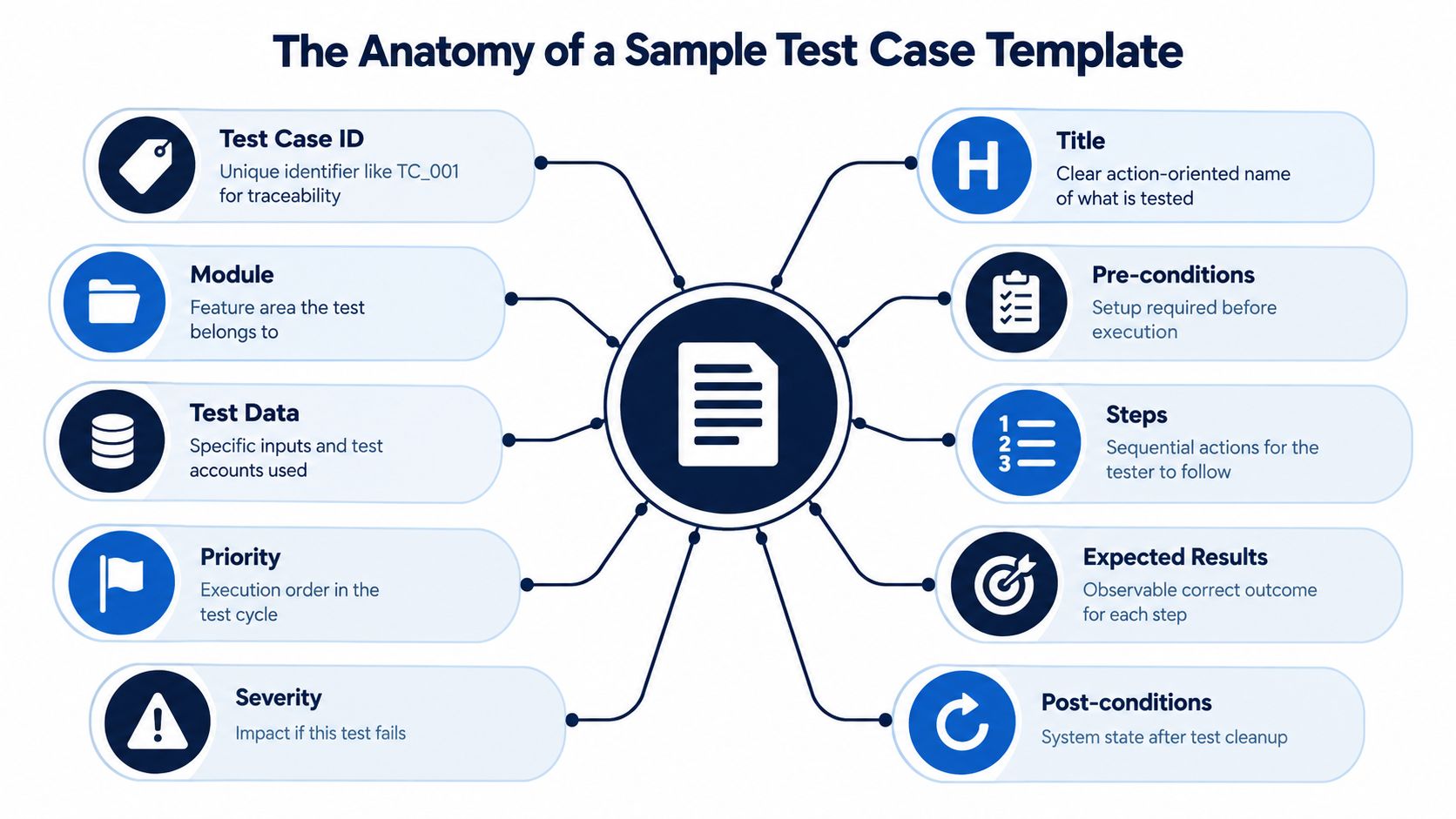
What each field is really deciding
- Test Case ID decides traceability. Can someone map this case to a bug, requirement, or CI failure without guessing?
- Title decides uniqueness. If the title is weak, your suite fills with duplicates.
- Module decides ownership. Which product area owns this behavior when it breaks?
- Pre-conditions decide the minimum valid state. What must be true before the first step matters?
- Test Data decides precision. Which values are carrying the risk in this test?
- Steps decide repeatability. Could a human or a Playwright script perform the same sequence consistently?
- Expected Results decide observability. What exact evidence proves the behavior worked?
- Priority decides run order. Should this execute in smoke, PR validation, nightly regression, or release gate?
- Severity decides impact. If it fails, how bad is the product consequence?
- Post-conditions decide cleanup. Will this case poison the environment for the next run?
The most undervalued field is the title
Weak titles create waste. “Verify login works” tells nobody what's special about the case, what variation it covers, or whether it overlaps five existing tests.
A stronger title carries the edge directly: “Login locked account returns 423 after 5 failed attempts within 15 minutes.” That title is searchable, hard to duplicate, and clear enough for triage.
Practical rule: If the title could apply to ten different tests, it's too vague.
The same goes for expected results. “User sees success message” is not a useful outcome unless success is the thing you need to validate. Most of the time it isn't. A success toast can appear while a background write fails, a queue stalls, or an internal flag never updates.
Here's a quick visual reference before filling your own case:
Templates help only when they force these calls. Without that, a sample test case becomes admin work dressed up as QA.
A Filled Sample Test Case for a Login Flow
A login case usually looks simple until it starts flaking in CI. The UI shows “Account locked,” but the API still issues a token on the next retry. Or the counter increments in one service and never persists to the user record. That is why this sample case targets the lockout rule itself, not just whether the form submits.
Filled example
| Field | Value | Why It Was Chosen |
|---|---|---|
| Test Case ID | AUTH_LOGIN_LOCKOUT_01 | Stable, readable identifier tied to auth behavior |
| Title | Login locked account returns 423 after 5 failed attempts within 15 minutes | Captures the rule, threshold, and expected outcome in one line |
| Module | Authentication | Sends failures to the team that owns the behavior |
| Pre-conditions | 1) User account lockout.qa.user@example.test exists with known password SaaSLoginEdge16! 2) Account is currently not locked with failed_attempt_count = 0 3) MFA is disabled for this fixture | Removes common auth variables that create false failures |
| Test Data | Email: lockout.qa.user@example.test Password attempts 1 to 5: WrongPassEdge16! Final password after lockout: SaaSLoginEdge16! | Uses fixed values so failures point to lockout logic, not ambiguous input selection |
| Steps | 1) Open /login 2) Enter known email 3) Enter invalid password 4) Submit form 5) Repeat invalid submission until the lockout threshold is reached 6) Attempt login with the correct password after lockout 7) Refresh the login page and retry once more with the correct password | Covers the state transition into lockout and checks that it persists across a fresh page load |
| Expected Results | Attempts before lockout return authentication failure and keep the user on the login form. The lockout attempt returns HTTP 423 or the product's documented locked-account response. The UI shows the account-locked state. The user record reflects locked status and an updated failed-attempt counter. The correct password after lockout does not create a session. | Checks UI feedback, transport response, and persisted state together |
| Priority | High | Good fit for smoke or gated regression if login is a release-critical path |
| Severity | High | Failures here create security risk and support churn |
| Post-conditions | Reset failed_attempt_count to 0, clear the account lockout flag, confirm the fixture can log in successfully again | Prevents one auth test from polluting the next run |
For teams building wider auth coverage, this case fits naturally into functional automation testing across UI, API, and backend checks, because a single-layer assertion usually misses part of the failure.
Why this case is worth keeping
The backend check carries the test.
A toast, inline error, or disabled button can confirm that the front end reacted. It does not prove the lockout rule executed correctly. The durable evidence is the auth response, the stored lock flag, the failed-attempt counter, or the audit event written by the service. In practice, I trust a UI-only lockout test far less than a case that verifies state after each failed attempt.
The data values matter too. WrongPassEdge16! and SaaSLoginEdge16! are not there for decoration. Concrete strings help catch trimming issues, encoding mismatches, and client-server validation drift. “Valid password” and “invalid password” are fine in a meeting. They are weak in a test case.
The refresh step is doing real work as well. Lockout bugs often hide in cached client state. A page that still shows “locked” after refresh is one class of behavior. A server that still blocks session creation after refresh is the behavior that matters.
What this sample tells you about test quality
A useful sample test case reads like an agreement between the product rule and the suite. It states the condition, the trigger, and the proof. Each field forces a decision: what fixture state is acceptable, which retries count, what response code is expected, and what cleanup keeps the environment stable.
That is the difference between a sample test case that fills a document and one that catches a regression before users do.
Choosing the Right Test Case Design Style
Not every sample test case should be designed the same way. The style you pick changes what defects you find, how many cases you need, and how noisy your suite becomes.
Boundary-heavy design
Boundary Value Analysis is excellent when the defect risk sits at the edges. Numeric limits, field lengths, date cutoffs, retries, and lockout thresholds all fit here.
In an ISTQB-published study, Boundary Value Analysis had the highest mean probability of defect detection at 0.75, versus 0.16 for Equivalence Partitioning and 0.17 for the most effective white-box technique studied, while requiring 13.7 test cases on average versus 5.1. The full benchmark appears in the ISTQB test effectiveness paper.
That trade-off is real. You'll catch more edge defects, but you'll execute more tests.
Equivalence-based design
Equivalence Partitioning reduces volume by grouping inputs expected to behave the same way. Instead of testing every invalid email shape, you pick representative buckets.
That's useful when you need broad baseline coverage without exploding runtime. It's usually the right default layer under a larger suite, especially for stable validation rules.
Risk-based design
Risk-based testing starts with impact, not input math. Which user journey hurts revenue, trust, or compliance if it breaks? A checkout authorization path, password reset, subscription renewal, or tax calculation often belongs here.
For framework decisions around where these styles fit in your stack, teams often compare tooling and execution models before they automate at scale. A practical place to start is this guide on choosing a test automation framework.
| Design Style | Core Technique | Best For | Trade-off |
|---|---|---|---|
| Boundary-heavy | Test min, max, just below, just above, threshold states | Numeric fields, lockouts, date rules, pricing limits | High detection power, more cases to run |
| Equivalence-based | Group similar inputs into representative classes | Form validation, broad input coverage, stable logic | Faster suite growth, lower edge precision |
| Risk-based | Select cases by business impact and failure cost | Checkout, auth, billing, critical workflows | Strong business alignment, may miss low-level edge bugs unless paired with another method |
Teams shouldn't pick one style for everything. They should mix them deliberately. Regulated workflows usually need more boundary pressure. Fast-moving SaaS products often get more value from risk-first coverage, then add targeted boundaries only where incidents cluster.
Writing Test Cases That Catch Real Bugs
They don't need more tests. They need fewer tests that encode stronger promises.
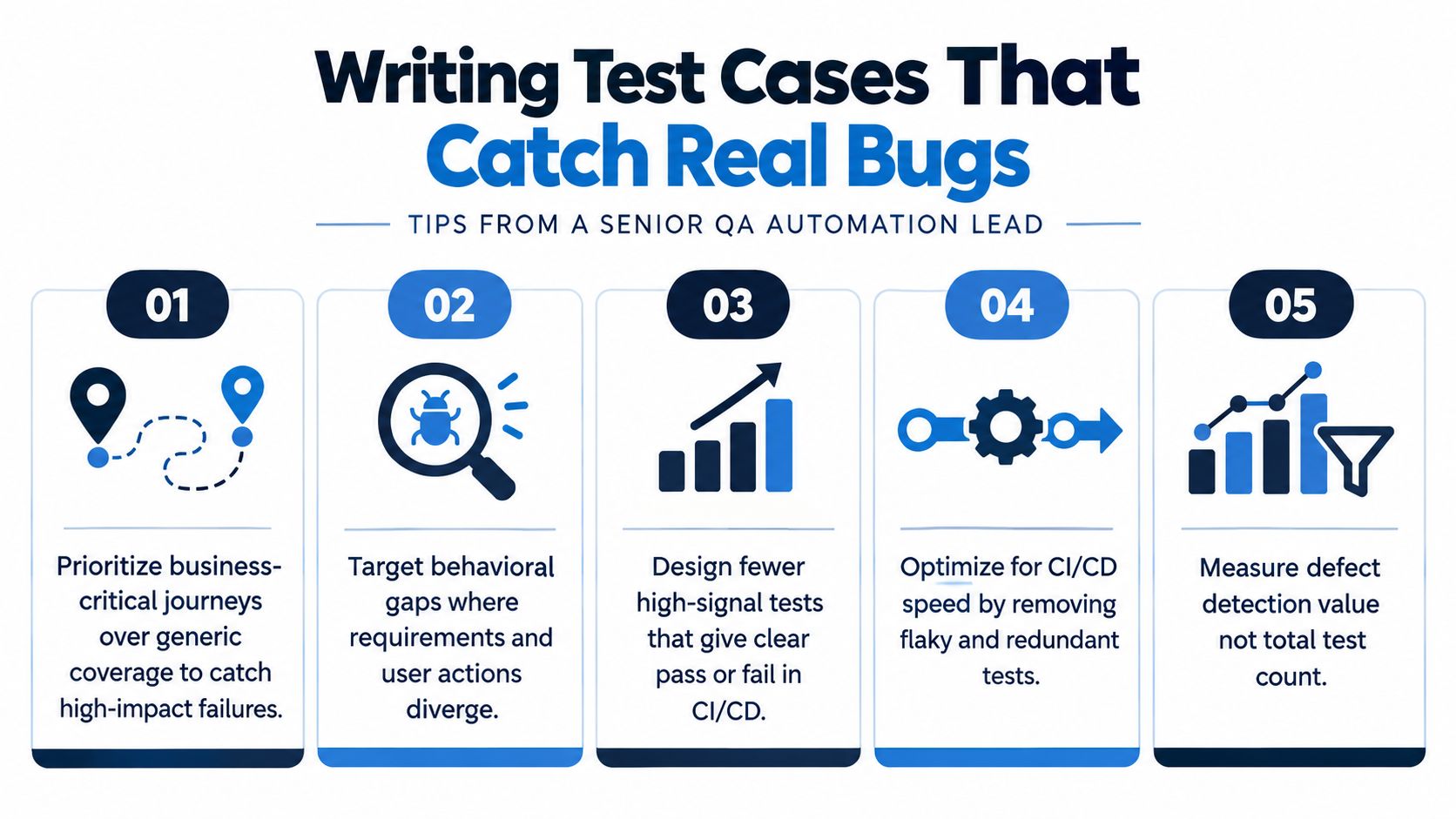
Replace screen checks with behavior checks
Low-value case: “Verify submit button is visible.”
Higher-value case: verify the disabled submit button explains why submission is blocked, and that the block clears only after required fields become valid. That test fails when the user promise breaks, not just when the button disappears.
The same principle applies everywhere:
- Instead of checking that a banner appears, check that the blocked action stays blocked.
- Instead of checking that a modal opens, check that the user can't bypass a required confirmation.
- Instead of checking that a row renders, check that the saved state survives refresh and retrieval.
Focus on behavioral gaps
Recent research frames a behavioral gap as documented behavior that no existing test validates, which is a better lens than asking whether you already have a sample test case on the feature. The distinction matters because suites can look complete while still missing key branches or changed behaviors, as discussed in this behavioral-gap and coverage analysis.
That's the question to ask during review: what promise does this case validate that no other case covers?
Ruthlessly remove noise
Automation is mainstream, but maturity still lags. 58% of surveyed organizations had automated more than half of their regression suite in the Capgemini World Quality Report 2023 to 2024, up from 51% in 2021, and separate reporting puts average automation around 57% while full critical coverage remains uncommon, according to this software testing statistics summary.
That gap shows up in noisy suites. Teams automate a lot, but they don't always automate the right things. Cases that never catch real regressions, rely on weak assertions, or duplicate lower-level coverage should either be hardened or deleted.
A test case that only proves the UI loaded is usually stealing time from a case that could have caught a real release blocker.
Quality Checklist Before You Add It to the Suite
A sample test case should pass a pre-flight review before it reaches regression. This review is short, but it prevents months of suite bloat.
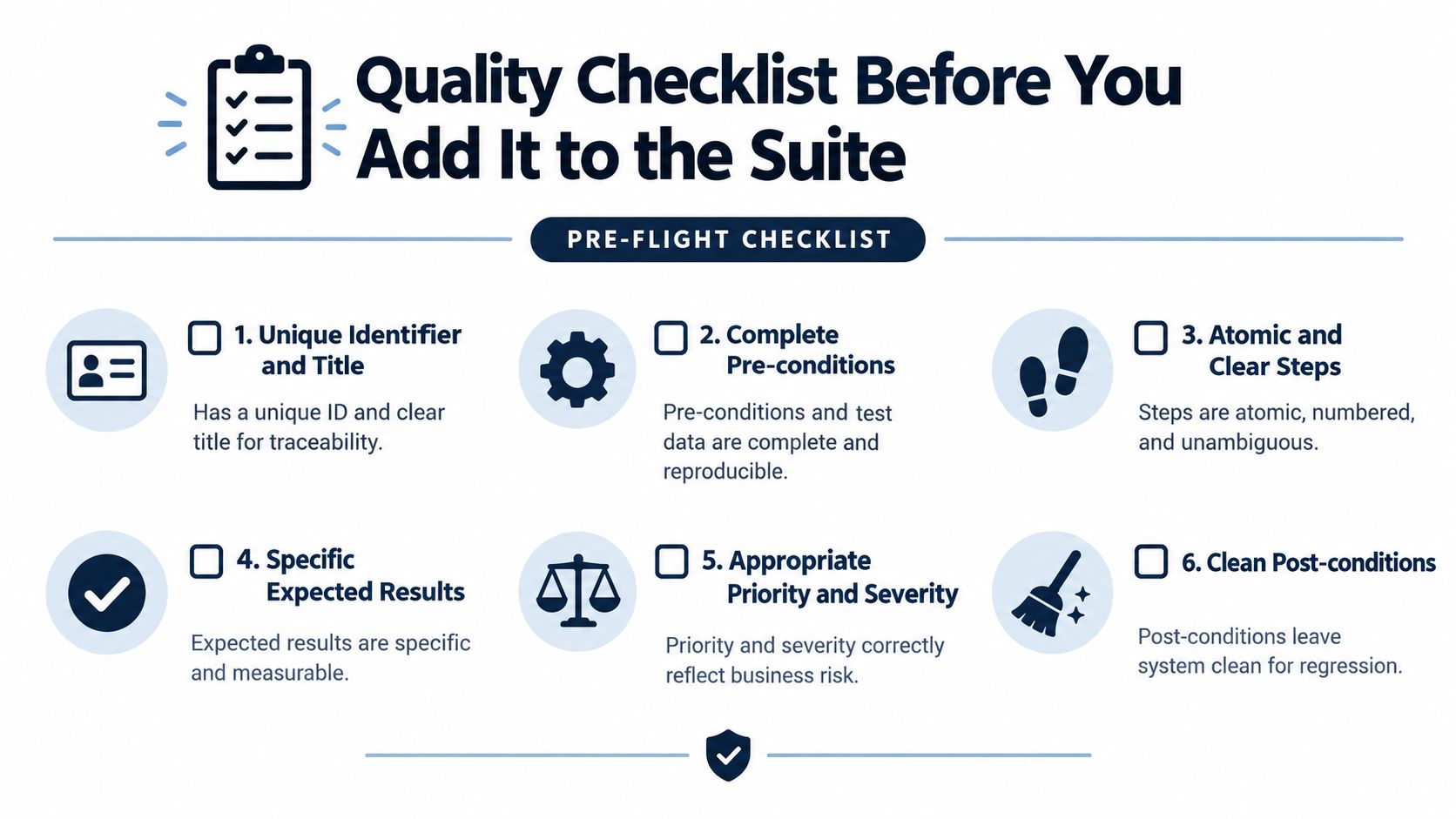
The checklist
- Title names a behavior: It describes a rule, state transition, or promise. Not just a page or component.
- Pre-conditions isolate one variable: The setup removes unrelated causes of failure and defines the smallest state that still makes the test meaningful.
- Test data is specific: No placeholders like “valid user” or “invalid input” unless those values are centrally defined fixtures.
- Steps are atomic: Each action is clear enough for a human or tool to execute without interpretation.
- Expected results are observable: The case states what evidence proves success. UI state alone usually isn't enough.
- Design style is tagged: Mark it as boundary, equivalence, or risk-based so future maintainers know why it exists.
- Post-conditions clean the environment: The test resets data, clears fixtures, clears counters, or removes generated records.
- It would catch a recent incident: If the answer is no, the case is probably misnamed, mis-scoped, or unnecessary.
One final review question
Pull up the last painful bug in that flow and ask whether this test would have failed before release. That question is more useful than asking whether the case “looks complete.”
For teams comparing how different automation programs mature over time, published QA case studies can help frame what maintainable coverage looks like in practice without turning the suite into a graveyard of generic checks.
A small, sharp suite beats a sprawling one because it gives developers a clean answer fast. That's what a good sample test case is for.
AskYourQA builds test automation systems around this exact problem: turning vague test cases into high-signal checks tied to critical user journeys, APIs, and CI/CD release gates. If your current suite passes often but explains little, visit AskYourQA to see how they approach functional, AI, security, and performance testing with maintainable automation.