
Your pull request is ready, but the pipeline is still running. A browser test fails, someone retries it, and the build turns green. You can merge, but you're not sure whether the product is safe or the test got lucky.
CI/CD pipeline test automation should remove that uncertainty, not add to it. Instead of treating the pipeline as one large test run, give each checkpoint a specific job and clear authority to stop progress. The important question isn't how many tests you run. It's whether each failure gives the team a trustworthy reason to act.
Table of Contents
- Which Tests Run at Each Pipeline Stage
- Why Automated Tests Speed Up Releases
- How to Build a Staged Test Pipeline
- Deciding Which Tests Can Block a Release
- Fixing Flaky and Noisy Test Failures
- Testing AI Features Inside the Same Pipeline
- Release Readiness Checks Before You Ship
- Confirm Your Pipeline Plan This Week
Which Tests Run at Each Pipeline Stage
An airport traveler passes several checkpoints. Staff check identity, luggage, and boarding eligibility separately because each check answers a different question. A software delivery pipeline works the same way: different gates inspect different risks before code moves forward.
Continuous integration, or CI, checks changes as developers bring them together. Continuous delivery, or CD, keeps validated software ready for release. Continuous deployment adds automatic production release after the required approvals and checks.
Map the checkpoints
Use this map as a starting design. The runtime column gives a budget-setting rule, not an industry benchmark. Set actual limits using your application's measured execution times and release needs.
Test types, triggers and blocking power by pipeline stage
| Stage | Trigger | Tests that run | Target runtime | Can block? |
|---|---|---|---|---|
| Local commit or pre-push | Developer commits or pushes | Unit tests and linting for changed code | Short enough to finish before the developer switches tasks | Only if pre-push hooks are enforced |
| Pull request | Pull request opened or updated | Unit, API contract and smoke tests | Within the team's agreed code-review feedback budget | Yes, blocks merge |
| Merge to main | Merge into main branch | Integration and critical-journey end-to-end tests | Within the staging-promotion budget | Yes, blocks deployment to staging |
| Staging or pre-release | Build promoted to a test environment | Full regression, performance and security scans | Within the agreed release-validation window | Yes, blocks production release |
| Production | Deployment completes | Smoke checks and synthetic monitoring | Before deployment observation ends, then continuously | No, raises alerts or triggers rollback |
Local checks catch narrow problems. A unit test verifies a small piece of logic, while linting checks code for patterns your team has prohibited. Local hooks are helpful, but server-side checks must enforce anything developers aren't allowed to bypass.
At the pull request gate, API contract tests check that services still exchange the expected requests and responses. Smoke tests verify basic operation. After merge, integration tests check connected components, and end-to-end tests exercise complete user journeys.
Staging carries the broader checks that need realistic infrastructure or substantial execution time. Production monitoring serves a different purpose: deployment has already happened, so its checks raise alerts or initiate recovery rather than prevent that completed release. Synthetic monitoring uses automated requests or user journeys to inspect the live application.
Practical rule: Give every gate a question it must answer and an explicit action when the answer is no.
Find your current slowest stage. Inspect which tests run there and whether their scope justifies holding everyone at that checkpoint.
Why Automated Tests Speed Up Releases
A team that ships infrequently often has a manual testing phase waiting at the end of development. Developers finish changes, hand over a release candidate, and start other work. When testers find a regression, someone must reconstruct the original change while separating it from everything added afterward.
Automation changes when that conversation happens. A check attached to a small change gives the developer a narrower investigation: inspect the changed behavior, reproduce the failure, and correct it while the context is fresh.
Speed comes from useful feedback
The 2017 State of DevOps report identified test automation as the largest contributor to continuous delivery among the practices studied and found that high-performing organizations reported 27% more testing automation than lower performers.
That finding supports treating testing as part of the delivery system, not a service requested after coding finishes. Consider a subscription calculation that accidentally applies a discount twice. A focused automated check can flag the change before another developer builds on the incorrect behavior.
Compare that with discovering the wrong invoice during final release testing. The team must now inspect application logic, stored billing data, and possibly unrelated changes. The difficulty isn't just executing the test manually. It's identifying what went wrong after the change has become less isolated.
Automation's most useful outcome is a shorter distance between making a mistake and understanding it.
The benefits of automated testing therefore extend beyond reduced repetitive work. Repeatable checks let people spend more attention on exploratory testing, unfamiliar behavior, and risks that scripts don't adequately describe.
Start with your release checklist. List the manual checks people repeat, then choose a frequently repeated check with a clear expected result and straightforward setup. Automate that check before attempting to reproduce the entire manual testing process.
How to Build a Staged Test Pipeline
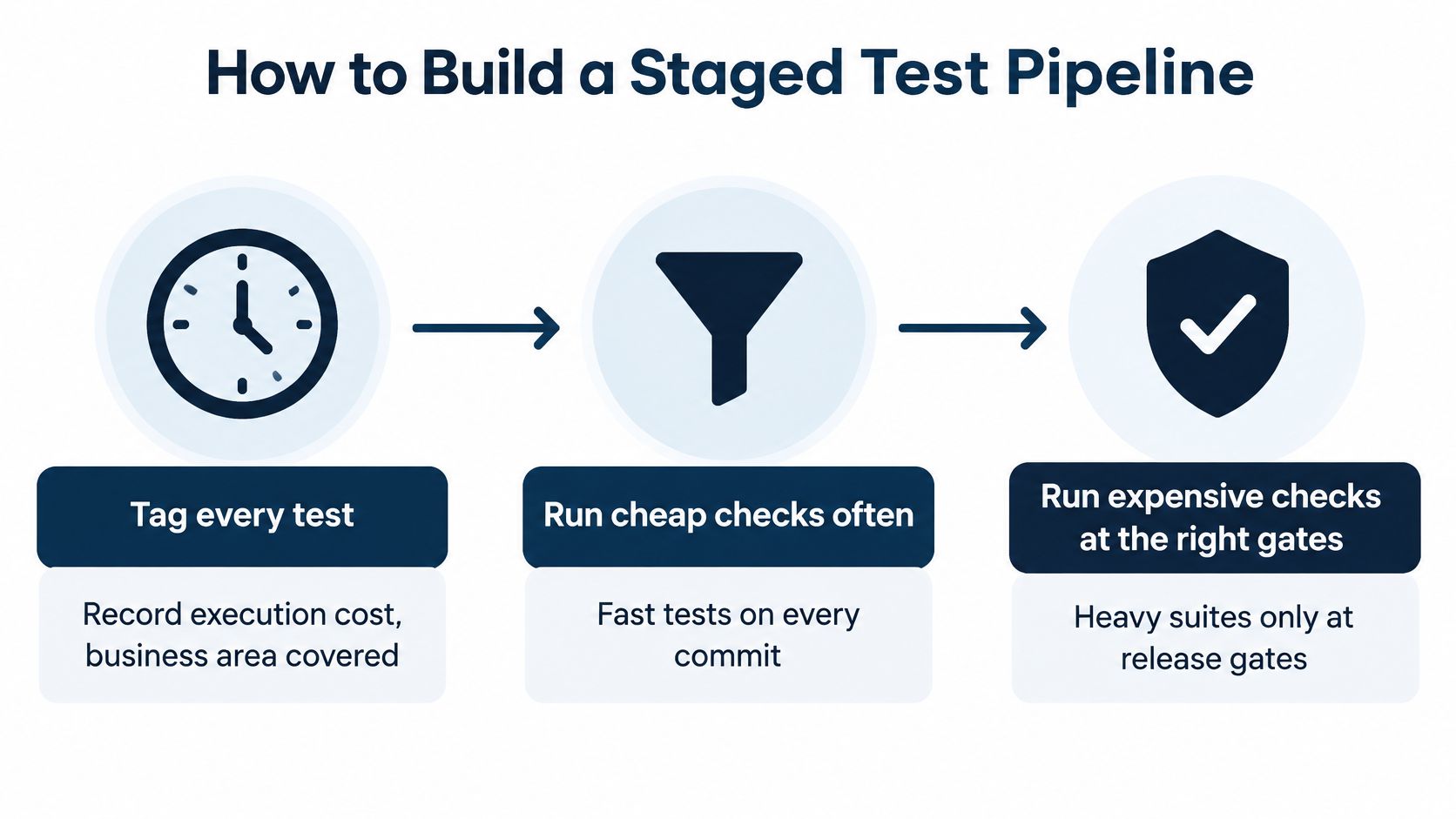
Run inexpensive checks frequently and place expensive checks where their evidence matters. Inexpensive means more than short execution time: a test should also be easy to set up, diagnose, and maintain.
DORA's test automation guidance describes effective automated suites as fast and reliable, detecting real failures and allowing only releasable code through. That's a better design target than a large test count.
The diagram summarizes the placement decisions behind a staged pipeline.
Build the gates in order
-
Tag tests before moving them. Record execution cost, business area, dependencies, and the failure each test detects, so placement reflects risk rather than habit. For example, label a checkout test as payment-critical and note whether it needs a browser, database, or payment sandbox.
-
Run narrow checks on every commit. Unit tests, static analysis, and API checks can identify logic, code, and interface problems without starting the entire application. Don't attach a browser journey to a calculation that a focused function test can verify more directly.
-
Build the deployable artifact once. Package the application, give that artifact an immutable identifier, and deploy it to the test environment before promoting it onward. Rebuilding after testing introduces an avoidable question: is the production package the package that passed?
-
Exercise business-critical journeys after merge. Keep a deliberately selected set of end-to-end checks for operations such as purchasing, signing in, or submitting a core workflow. Assert the resulting business state, such as a confirmed order, rather than treating successful button clicks as proof.
-
Place heavy checks at controlled release gates. Load tests and broad running-application security scans need suitable environments and explicit pass conditions. Keep lightweight security checks earlier too, including secret detection and dependency analysis, rather than postponing every security concern until staging.
-
Parallelize independent groups and measure waiting. A test shard is a group of tests assigned to a separate worker, and independent shards can run concurrently. Give workers isolated accounts and data, then measure queue time separately from execution time so you can distinguish unavailable capacity from slow tests.
Connect results to promotion
In GitHub Actions, GitLab CI, or Jenkins, configure the deployment job to require the appropriate passing jobs. A test report alone doesn't stop deployment. The dependency between jobs supplies the enforcement.
Preserve logs, request traces, and browser failure artifacts with the result. A red status without diagnostic evidence forces developers to repeat work before they can investigate.
For banking or payment applications, Geeks Solutions' DevSecOps practices for fintech deployments provide additional context for connecting security controls to delivery gates. Translate any control you adopt into a named check, an owner, and a promotion decision rather than leaving it as general guidance.
Deciding Which Tests Can Block a Release
More tests don't automatically provide more confidence. A test that repeatedly stops healthy builds can train developers to distrust the entire pipeline. Eventually, someone reruns failures without investigating them or asks to bypass the gate.
Blocking authority must be earned. A blocking test should detect a consequential problem, produce interpretable evidence, and behave consistently under controlled conditions.
Give tests authority deliberately
Use this checklist when deciding whether a check can stop progress:
- Business consequence: Its failure identifies an unacceptable outcome, such as unauthorized access, a missing order, or incorrect billing.
- Diagnostic value: The assertion explains what expected behavior failed, rather than reporting only that an element was missing.
- Signal history: Recent investigated failures mostly represent genuine defects, not unstable infrastructure or timing assumptions.
- Execution fit: The test completes within the budget assigned to its gate.
- Accountability: A named team owns both the test and the response to a failure.
Risk-based test case prioritization techniques help distinguish valuable business coverage from checks that are convenient to automate. A cosmetic preference and a broken payment confirmation shouldn't automatically receive equal blocking power.
The GJETA paper on test automation cites flaky-test rates as high as 30% in automated integration testing and literature reporting that traditional web-test maintenance can consume 35–45% of total automation investment. These figures describe particular published contexts, not a forecast for your suite, but they illustrate why maintenance and noise belong in automation decisions.
Separate uncertainty from permission
A flaky test passes and fails without a relevant product change. That doesn't mean every intermittent failure is harmless: application race conditions can also produce intermittent symptoms.
When a test loses blocking authority, record what coverage is missing and how the team will manage that risk. For a critical payment flow, that might mean a temporary manual verification before release while engineers repair the automated check. Disabling it is not an equivalent substitute.
Adding browser tests can reduce practical release confidence when developers spend more effort sorting failures than learning about defects. Test volume has increased, but the evidence has become harder to interpret.
List every blocking test in your pipeline. Write a sentence explaining the defect each prevents. If the sentence only describes an action, such as clicking a menu, improve the assertion or reconsider its blocking role.
Fixing Flaky and Noisy Test Failures
The build fails, someone clicks retry, and it passes. That's a reason to investigate, not evidence that the first failure didn't matter. Preserve the original logs and compare both executions before declaring the build healthy.
Timing, environment differences, and shared state are useful starting hypotheses. The symptom helps you choose where to look, but confirm the cause rather than applying the same fix to every intermittent failure.
Diagnose the pattern
Common test failure symptoms, causes and fixes
| Symptom | Likely cause | Fix |
|---|---|---|
| Test passes on rerun | Fixed sleeps or timing assumptions | Replace fixed sleeps with explicit waits for a visible condition |
| Fails only in CI | Environment or configuration drift | Pin the environment image and configuration versions |
| Fails when suites run in parallel | Shared test data colliding between runs | Give each run isolated, disposable test data |
| Slow suite with frequent retries | Unstable third-party dependency | Stub the dependency in pre-merge runs and keep a live check at release |
| Failures spike after a merge | Real regression or a changed test | Check the diff first, then quarantine only with a named owner and end date |
For browser checks in Playwright or Selenium, wait for the state the next action requires, such as a visible confirmation or enabled submit button. Increasing a fixed sleep can hide the timing assumption without removing it.
When replacing an external dependency with a stub, preserve the expected request and response contract. Otherwise, the substitute can keep returning responses that the service no longer produces.
Measure the work behind the failures
Track these measures alongside pass rate:
- False-positive rate: Failures investigated and classified as test or environment problems rather than product defects.
- Retry rate: Runs that needed another attempt, even if the final result passed.
- Queue time: Time waiting for an available runner or required resource.
- Time to diagnosis: Time from the initial failure to an understood cause.
- Quarantine age: How long a check has remained outside its normal enforcement role.
A quarantine needs an owner, an expiry date, and a recorded coverage gap. Otherwise, it's just an ignored failure with a different label.
When failures cluster immediately after a merge, inspect the diff before blaming infrastructure. The application may have regressed, or someone may have changed an assertion incorrectly. Pick your noisiest blocking test from recent runs, record its confirmed failure cause, and apply a targeted fix before adding more coverage.
Testing AI Features Inside the Same Pipeline
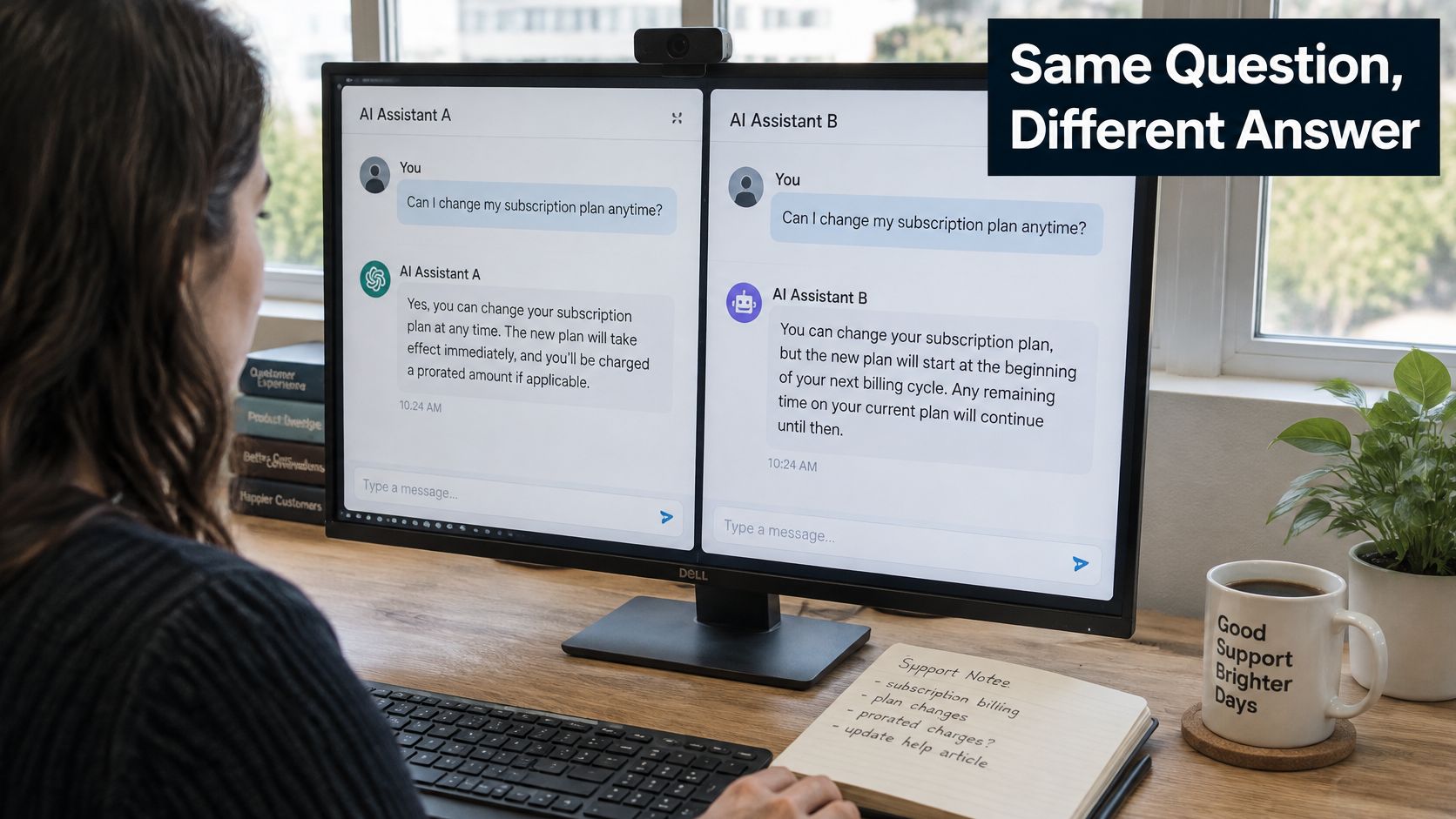
Say your support assistant explains how to change a subscription plan. It gives a concise answer in one run and a longer explanation in another. An exact-text comparison fails even though both answers correctly describe the process.
AI checks should evaluate acceptable behavior, not demand identical wording where variation is allowed. The distinction matters when deciding what deserves to stop a release.
The example below illustrates the kind of output variation your tests must handle.
Layer checks by what they can prove
Start with deterministic checks: response schema, required fields, permitted tool names, and valid tool arguments. If an agent requests a subscription change, verify that it identifies the correct account and cannot act without the required authorization.
Then use a golden dataset, a versioned collection of representative prompts and expected properties. Practical prompt regression testing compares candidate behavior against those properties when prompts, models, retrieval content, or application logic change.
Add distinct checks for the remaining risks:
- Meaning and policy: Confirm that answers stay within permitted topics and don't invent account-specific facts.
- Adversarial behavior: Test prompt injection, unauthorized tool use, and attempts to retrieve another customer's information.
- Cost and latency: Enforce agreed spending and response-time budgets under representative workloads.
- Behavior drift: Compare production evaluation trends with the accepted release baseline.
Use synthetic or properly sanitized test records. Don't place sensitive customer conversations into evaluation fixtures just because they're realistic.
The following video offers additional context for the testing discussion.
Set human review boundaries
The 2025 DORA report announcement describes AI as an amplifier and connects delivery stability concerns with the need for strong engineering foundations, including automated testing and rapid feedback.
Treat AI-generated code like other code: require review and verification appropriate to its risk. Separately, define promotion gates for AI behavior, especially when an agent can spend money, change permissions, or expose private information.
A model-based evaluator can help assess meaning, but don't make an unexplained evaluator score the sole authority for a high-risk release. Keep its criteria versioned and route ambiguous outcomes to human review. Pick an AI feature and write its most important behavioral properties as executable checks.
Release Readiness Checks Before You Ship
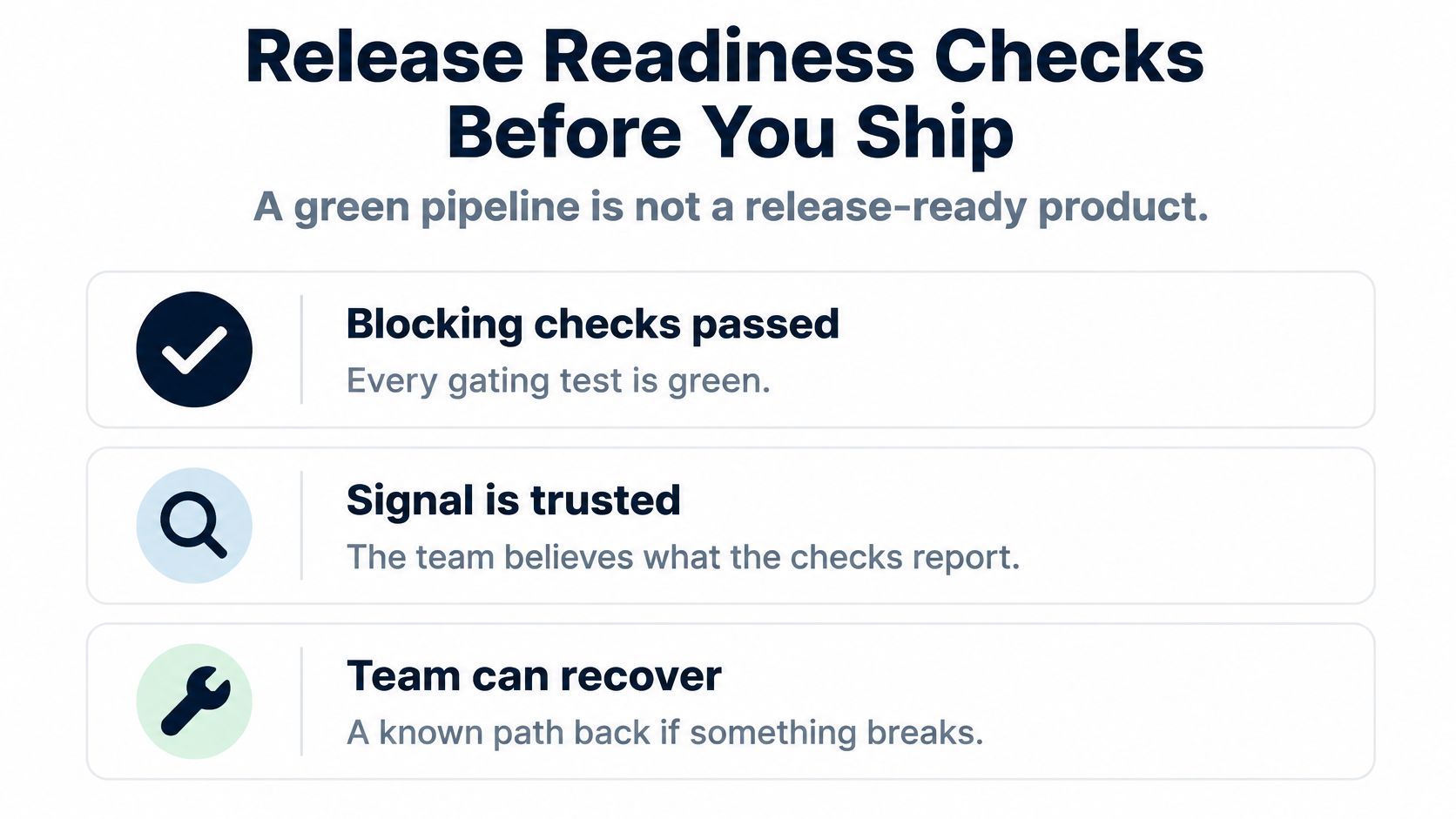
A green pipeline tells you the configured jobs passed. It doesn't prove that required coverage was present, the test signals were trustworthy, or recovery will work. Release readiness is an evidence decision, not just a status color.
In the 2021 Accelerate State of DevOps report, elite-performing teams that met their reliability targets were 3.7 times more likely to use continuous testing than other teams. The practical aim is delivery confidence grounded in checks throughout the lifecycle.
Use these categories to organize the final decision.
Keep evidence for each condition
Release readiness checks and the evidence to keep
| Check | Pass condition | Evidence to keep |
|---|---|---|
| Critical-journey tests | All blocking end-to-end tests pass with no critical test in quarantine | CI run record for the release candidate |
| Signal health | Flake rate is under the agreed threshold across the recent review window | Trend chart of false positives and retries |
| Performance budget | Response times stay within the agreed limit under expected load | Load test report for the release candidate |
| Security scan | No open critical findings in the scanned flows | Scan report with the reviewed findings |
| Rollback path | The previous artifact can be redeployed within the agreed time | Record of a tested rollback run |
Associate the evidence with the release candidate's artifact identifier. A passing load test for another build shouldn't be mistaken for evidence for the current candidate.
Make a hold decision explicit
Suppose the release candidate passes every active blocking end-to-end test. However, false-positive and retry trends exceed the team's agreed threshold, and a critical test remains quarantined without an owner.
Hold the release. Assign ownership, restore reliable coverage, and investigate the signal trend before approving promotion. Remove the quarantined test only if its coverage is demonstrably obsolete or replaced, not merely because it prevents a clean checklist.
Under this release policy, an unmet condition requires resolution or written risk acceptance by an authorized owner. Store that decision with the other evidence, including the reason, mitigation, and scope of the exception.
A rollback condition passes only after the team has actually exercised recovery in a test environment, including relevant configuration and data compatibility. A runbook describes intent; a recorded recovery run demonstrates capability. Review these conditions with the release owner and agree on thresholds before the next release window.
Confirm Your Pipeline Plan This Week
You don't need a new platform to start improving release decisions. Begin with the journeys your business depends on and the checks you already maintain.
Turn the map into assigned work
- Choose the essential journeys. Write down the user outcomes whose failure would interrupt the business, not just the screens that are easiest to automate.
- Place existing tests. Assign each test to a pipeline stage and record what it currently blocks. Identify duplicate checks and important outcomes with no dependable coverage.
- Repair a noisy gate. Choose a blocking test with repeated unexplained failures, confirm the cause, and apply a specific fix.
- Agree on release conditions. Meet with the release owner to define pass thresholds, required evidence, exception authority, and recovery expectations.
Keep the result in your repository alongside the pipeline configuration. Assign owners to the changes and review the plan when product behavior or release risks change. Every step works without an outside provider.
For optional support, AskYourQA offers a free 20-minute call to map your critical flows and show how fast the automation framework can be up and running; discovery also maps your current testing process and identifies where automation can help.
AskYourQA designs and implements test automation systems with CI/CD integration, so release gates provide fast, reliable feedback. Visit AskYourQA to discuss your critical journeys, noisy checks, and the evidence your team needs before approving a release.