
Search for playwright vs puppeteer and the top results agree: Playwright drives Chromium, Firefox, and WebKit, Puppeteer mostly drives Chrome, so choose Playwright. The feature list is accurate. The conclusion is where it falls apart.
Framework choice is rarely what makes a suite slow, flaky, or expensive to maintain. Browser setup, context isolation, and what you count as cross-browser coverage decide that, and those decisions are yours no matter which library sits underneath. A team can migrate to Playwright and inherit every flaky selector it had before, because nothing in a library fixes a test that clicks before the element renders.
The opposite failure is just as common. Teams abandon a working Puppeteer setup for a cross-browser story they never need, then spend a quarter rebuilding CI sharding that already worked. The useful comparison separates three things: what each tool ships, what a WebKit pass proves, and what your team can run and debug on a Tuesday afternoon.
Table of Contents
- Playwright vs Puppeteer Side-by-Side Comparison
- Browser Support and Whether WebKit Equals Safari
- Speed and Reliability Benchmarks Explained
- CI/CD Fit, Parallel Runs and Debugging
- Which Tool Fits Your Team Situation
- Pick the Tool Your Next Release Needs
Playwright vs Puppeteer Side-by-Side Comparison
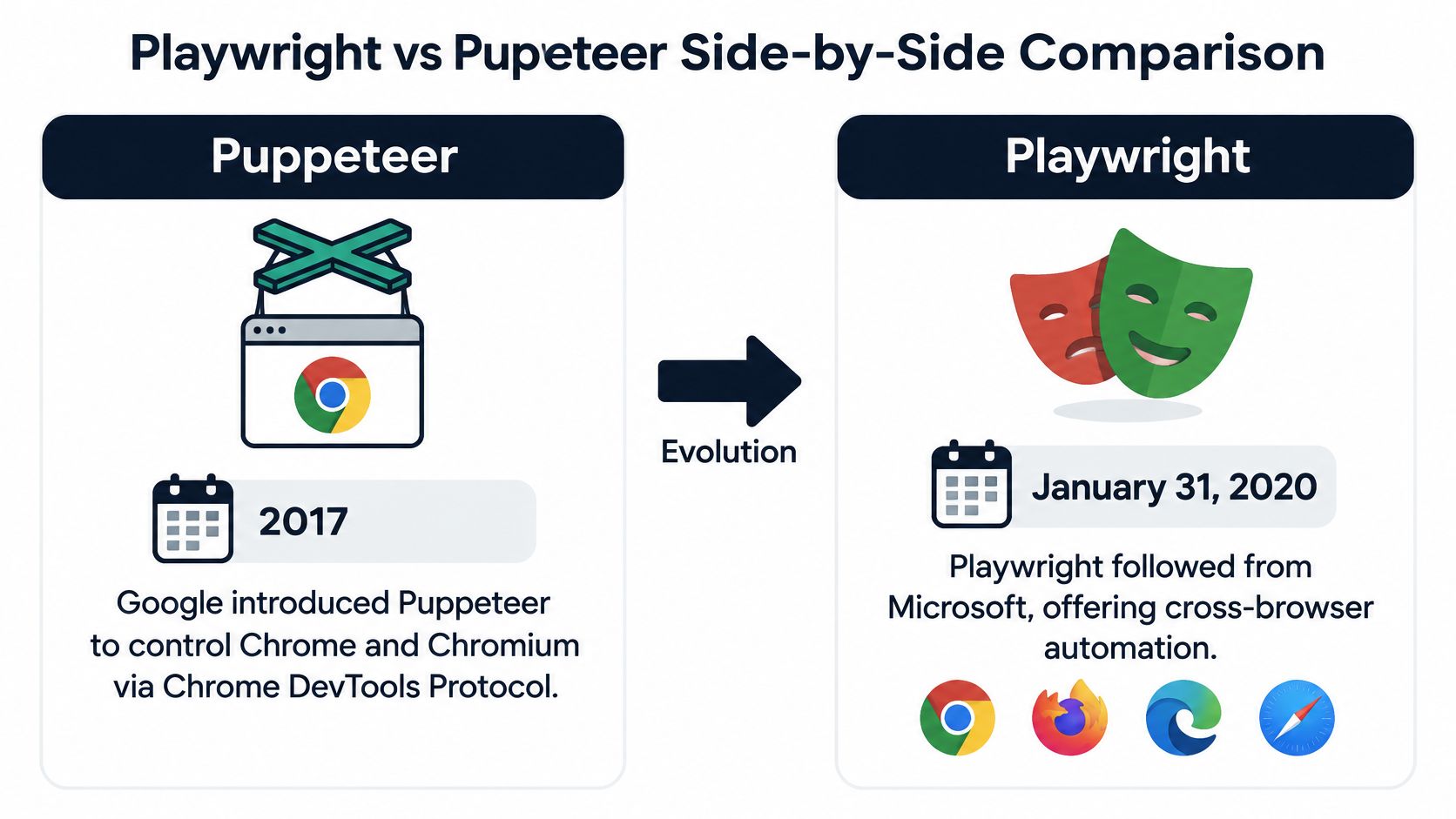
The engine row looks like the whole decision. It is one row. Google introduced Puppeteer in 2017 as a library for controlling Chrome and Chromium through the Chrome DevTools Protocol, and Playwright followed on January 31, 2020, built at Microsoft by engineers associated with the earlier Puppeteer effort, as the Puppeteer vs Playwright comparison on yrkan sets out. Puppeteer still feels like a thin, fast layer over DevTools. Playwright's founding move was putting Chromium, Firefox, and WebKit behind one API.
| Criterion | Playwright | Puppeteer |
|---|---|---|
| Browser engines | Chromium, Firefox, WebKit | Chromium-focused; Firefox in newer releases; no WebKit |
| Languages | JavaScript/TypeScript, Python, Java, .NET | JavaScript/TypeScript on Node.js |
| Built-in test runner | Yes, with parallel workers and retries | No; add Jest, Mocha or similar |
| Auto-waiting on actions | Built in for locator actions | Explicit waits required |
| Parallel execution | Built into the runner | Depends on the chosen runner |
| Tracing, screenshots, video | Built in | Needs additional tooling |
| Network interception | Yes | Yes |
| Isolated browser contexts | Core part of the model | Available through browser contexts |
Which rows decide the evaluation
Four rows carry the choice: engines, languages, the runner (parallel workers, retries, auto-waiting, tracing), and isolated browser contexts. For a product released to a global audience, the engine row pushes toward Playwright. For a Chrome-only scraping job, a PDF export pipeline, or a narrow internal Node service, that same row is irrelevant. The runner rows become the cost, because Puppeteer gives you browser control and expects you to supply Jest, Mocha, or your own harness.
The language row removes Puppeteer for whole teams. If test authors write Python, Java, or .NET, Playwright's bindings are first-party, while Puppeteer stays on JavaScript and TypeScript in Node.js.
That is a staffing constraint, not a preference.
Adoption has moved the same way. Playwright now accounts for more npm traffic than Puppeteer, which says something about the answers, plugins, and hiring pool you will find. Download volume says nothing about whether your checkout flow passes, and a green WebKit project is an engine check, not validation against the branded Safari build your customers run.
Playwright bundles the test stack: a runner with parallel execution, retries, tracing, screenshots, and video, plus isolated browser contexts and auto-waiting around locator actions. The Playwright migration guide for Puppeteer users frames those as capabilities past the shared browser-control API. Puppeteer gives you strong browser control and leaves the harness to you. Browser setup and context isolation still decide flake rate on either side. A library change does not install a context-per-test policy you never wrote. The wider set of end-to-end testing frameworks is worth scanning before you standardize.
Puppeteer remains the better fit when the requirement is Chrome DevTools Protocol access, Chrome-specific profiling, or a lightweight automation script. Choose Playwright when cross-engine coverage, parallel CI execution, and reproducible isolated sessions are release requirements. I would not treat the WebKit column as Safari sign-off.
Browser Support and Whether WebKit Equals Safari
The coverage gap is real. Playwright runs Chromium, Firefox, and WebKit from one API. Puppeteer's Firefox support now relies on WebDriver BiDi, and it has no WebKit target at all, as the AITestingGuide Playwright vs Puppeteer analysis documents. That's where most comparisons stop, and stopping there is the mistake.
The WebKit build Playwright ships is not branded Safari. The documentation distinguishes the two, and so should your release notes. A green WebKit run is a strong engine check. It does not prove compatibility with every Safari version your customers run, with Safari-specific rendering behavior, or with Apple device conditions such as older iOS hardware and accessibility settings.
A passing WebKit project tells you the engine agreed with your code. It tells you nothing about the Safari build on a customer's three-year-old iPhone.
A release gate that splits the risk
| Goal | What a pass proves | Where to run it |
|---|---|---|
| Fast cross-engine regression | Differences across Chromium, Firefox and the WebKit build | Playwright on every pull request |
| Browser-engine defect detection | WebKit engine behavior, not branded Safari | Playwright WebKit project when Safari share is material |
| Real Safari validation | Safari versions, iOS hardware, OS mix and accessibility settings | Nightly real devices for login and checkout only |
| Puppeteer Firefox coverage | Firefox through WebDriver BiDi, still no WebKit target | Chromium-first suites; not an iOS or Safari gate |
A workable allocation looks like this:
- Run the WebKit project on every pull request. It's cheap, it catches engine-level breakage early, and it stops Chromium-only assumptions from hardening.
- Pick your Safari and iOS targets from analytics. Two or three versions, chosen by traffic, not by what's newest.
- Run a nightly real-device pass on critical journeys. Login, checkout, and anything that touches payment or compliance.
- Don't clone the full suite onto devices. Device runs are for flows that carry revenue or regulatory risk, not for every assertion you own.
Residual risk lives in the version tail, not in your framework. Production failures arrive from a browser build you didn't test, which is why handling browser risk in production needs its own plan alongside the automation suite.
Speed and Reliability Benchmarks Explained
The speed numbers that circulate most are lifecycle numbers, and they're worth reading properly instead of quoting a headline. Here are the medians from a published same-browser lifecycle microbenchmark, as reported by Skyvern's Playwright vs Puppeteer performance comparison:
| Scenario | Playwright median | Puppeteer median | Difference |
|---|---|---|---|
| Cold browser launch plus workflow | 476 ms | 576 ms | Playwright 17% faster |
| Reused browser, new context and page | 218 ms | 242 ms | Playwright 10% faster |
| Reused browser and page | 141 ms | 141 ms | Effectively tied (p95 149 ms vs 151 ms) |
Read the third row twice. When both tools reuse the browser and the page, the medians are effectively tied at 141 ms, with 149 ms versus 151 ms at the reported p95. The gap at the top of the table isn't a framework advantage you get for free. It's a setup advantage that shrinks as you remove setup.
Measure your own pipeline first
What that demonstrates is that setup and isolation strategy dominate the result. Pooling browsers or reusing pages can erase almost the entire apparent difference. Creating a fresh context per test improves isolation and costs you measurable startup time, and that's a trade you should make deliberately rather than inherit.
Measure this, not that: time cold starts, context creation, page reuse, worker count, browser engine, and application state as separate rows in your own CI. A single aggregate "faster tool" figure will mislead whoever reads it next quarter.
The benchmark itself describes its results as a lifecycle microbenchmark, not a general speed ranking, and that's the honest reading.
Reliability usually explains more of a suite's cost than speed does. Playwright's built-in waiting removes a whole category of manual timing code, and those manual waits are where Puppeteer suites accumulate intermittent failures that pass locally and break in CI. Fewer hand-written waits means fewer retries, which means fewer CI minutes burned on re-runs. One caveat: neither library tells you how your application behaves under load. Load and stress behavior is a separate question, answered by performance testing that measures speed, stability, and scalability under real-world load.
CI/CD Fit, Parallel Runs and Debugging
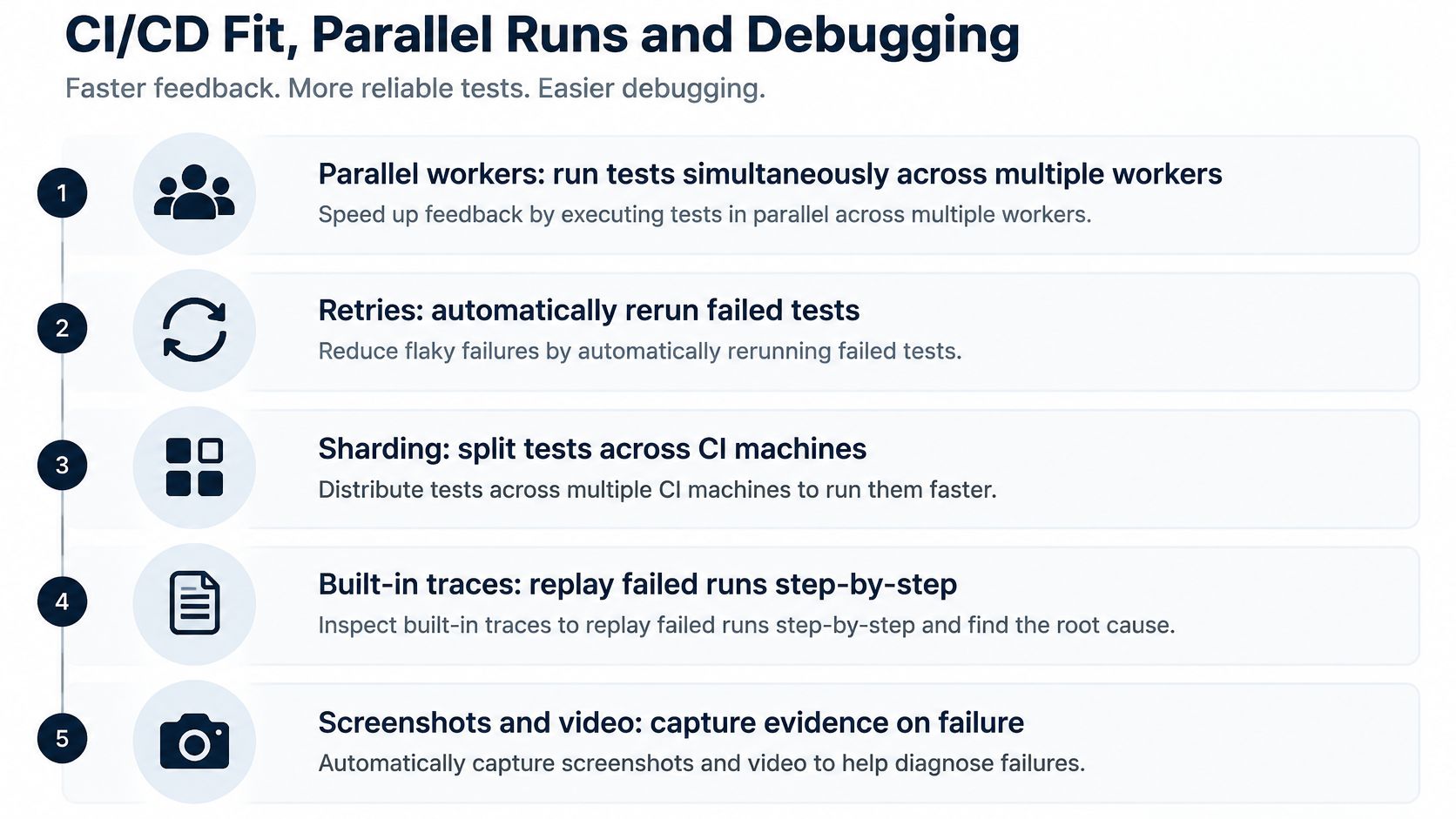
Playwright's runner does the pipeline work that Puppeteer leaves to you. It handles parallel workers, retries, sharding across CI machines, and writes traces, screenshots, and video on failure, so a red build leaves you a replayable artifact instead of a stack trace and a guess. Puppeteer's pipeline is whatever runner you wired up: screenshots are straightforward, while traces and video need extra setup and extra storage rules.
A setup that survives a year of releases
- Install the browsers in the CI image. Every run should start from the same engine versions, or your failures will drift with your base image.
- Match worker count to the CPU on each agent. More workers than cores just moves the queue from the runner to the machine.
- Turn traces on for the first retry only. Tracing every test produces artifacts nobody opens and storage bills everyone notices.
- Store traces, screenshots, and video as pipeline artifacts. Attach them to the build so a reviewer can open a failure without re-running anything.
- Run a short smoke suite on every pull request, and the full regression suite on merge or release. This is the split that keeps feedback fast while still covering the long tail.
The reasoning behind step five matters more than the step. A suite that runs everything on every commit becomes slow and noisy, and noisy pipelines train reviewers to ignore red builds. That's a cultural failure caused by a technical default, and it costs more than the CI minutes you saved.
A pipeline that runs everything on every commit hides real failures behind expected ones.
The other half of the job is wiring the suite into the delivery flow rather than bolting it on. CI/CD integration builds automated test execution into the delivery pipeline so every release gets fast and reliable feedback, and that's the part we handle at AskYourQA when a team has tests but no release signal. Worth reading alongside it: a practical walkthrough of CI/CD pipeline test automation.
Which Tool Fits Your Team Situation
Find your situation in the table and start there. The prose below covers the two things a table can't: what a migration really costs and what parallel runs do to your CI bill.
| Team situation | Better fit | Why |
|---|---|---|
| Cross-browser release gate for global users | Playwright | One API covers Chromium, Firefox and WebKit |
| Chrome-only scraping or PDF generation | Puppeteer | Direct control of Chrome through the DevTools Protocol |
| Single Chrome task in a lightweight Node.js service | Puppeteer | Narrow API focused on Chromium |
| New end-to-end suite running parallel jobs in CI | Playwright | Built-in runner, retries, tracing |
| Existing Puppeteer suite with Chrome-only checks | Stay with Puppeteer | Migration cost outweighs gains unless portability is required |
| Engineers writing tests in Python or Java | Playwright | Official language bindings |
The tie-breakers that override the table
An existing codebase and the skills on the team usually outrank the feature list. A team already running Puppeteer for Chrome-only work should weigh migration cost against the gain in portability, not against a vague sense that one tool is newer. Porting a script is mechanical; porting a suite that includes custom retry logic, artifact handling, and page-object conventions is a project with a schedule.
CI minutes are the second tie-breaker. Parallel Playwright runs across three engines consume more compute than a single-browser Puppeteer job, and that bill is real. Weigh it against shorter feedback loops and fewer flakes from built-in waits and retries. A suite that finishes in four minutes instead of twenty earns back its cost in developer attention long before it earns it back in machine hours.
Ecosystem is the third, and it has moved. Playwright's npm package drew roughly 37 million weekly downloads in 2025 against roughly 6 million for Puppeteer, according to serp.fast's browser infrastructure comparison. That changes what a new hire can find when they hit an edge case at 5 p.m. on a Friday.
Treat the table as the default and the tie-breakers as the only reasons to override it. If you're designing the wider structure around whichever tool you pick, this breakdown of test automation framework architecture covers the decisions that outlive the library choice.
Pick the Tool Your Next Release Needs
The choice becomes concrete once you attach it to a release date. Here's the sequence I'd run this week, before you commit a framework to a team of ten.

- Name the three to five journeys that must never break. Login, search, checkout, password reset. Not thirty flows. The ones where a failure reaches a customer or a regulator.
- Pull browser and OS share from analytics, including Safari and iOS share per market. If Safari is under 2% of traffic everywhere you sell, the WebKit argument gets small. If it's a fifth of traffic in one market, it decides the evaluation on its own.
- Apply the fit table. Chrome-only scraping, PDF generation, or a narrow Node service goes to Puppeteer. Traffic spanning engines, test authors in Python or Java, or a need for a runner with retries and tracing goes to Playwright. An existing Chrome-only Puppeteer suite stays where it is unless portability has become a requirement.
- Spike one shared journey in both tools. Same steps, same assertions, and one deliberately forced failure. You're comparing how long the failure takes to diagnose, not just how fast the happy path runs.
- Record three numbers for two weeks. CI minutes, flake rate, and minutes to diagnose that forced failure. Keep fresh-context runs and reused-page runs in separate buckets, so a launch-time difference never gets filed as a framework difference.
That last instruction is the one teams skip, and it's the one that changes decisions. A cold-start comparison will make Playwright look clearly faster. A reused-page comparison will tell you the two tools are close to identical once the browser is warm. Both readings are true, and only one of them describes your pipeline.
Two weeks of that data settles the argument in a way no feature table can. If Playwright wins on cross-engine coverage and your Safari traffic justifies the WebKit project, run it on pull requests and keep a small real-device pass for the journeys that carry money. If Puppeteer wins because the work is Chrome-shaped and the suite is already stable, keep it and spend the migration budget on coverage instead.
The trap is choosing a framework you can't debug under pressure and calling it a strategy. Whichever tool you land on, the deliverable is the same: one suite that runs the critical journeys on every release, produces an artifact when it fails, and finishes fast enough that people look at the result.
If you'd rather not run that evaluation alone, our free 20-minute call maps your critical flows and shows how fast the automation framework can be up and running.
AskYourQA builds test automation systems for product teams, from critical-flow mapping through framework design to automated runs inside your delivery pipeline. Whether you're deciding between Playwright and Puppeteer or fixing a suite that's slow and noisy, we can map your critical flows and show you how quickly a reliable framework gets running. Book the free 20-minute call at AskYourQA and bring your release calendar with you.