
If your pipeline runs security scanners but developers routinely ignore their findings, how much protection have you actually added? Security testing automation works when it produces trustworthy decisions, not when it produces the longest report. A few checks that catch real problems at the right moment are more useful than a crowded dashboard nobody has time to investigate.
For engineering leaders, the practical question isn't which scanner to buy first. It's which risk to test, where that test belongs, and what should happen when it fails.
Table of Contents
- What Security Testing Automation Means in Practice
- SAST, DAST, IAST and SCA Compared Side by Side
- Shifting Security Left Into Everyday Engineering
- Where Each Test Runs in Your Pipeline
- Cutting Noise So Developers Trust the Gates
- Designing High-Signal Tests for Critical Flows
- Testing AI-Generated Code and Your Software Supply Chain
- Pick Your First Security Gate This Sprint
What Security Testing Automation Means in Practice
A smoke detector checks every room whenever you cook, instead of waiting for an occasional inspection. Security testing automation applies the same repeatable checking to software. When someone changes code, updates a dependency, or builds a release, the relevant security checks run without relying on anyone's memory.
Say a developer changes how an application retrieves customer records. The feature still works for the intended user, so the functional test passes. A security check asks a different question: can another user alter the request and retrieve those same records?
Automation makes that question repeatable. The pipeline can prepare test accounts, send the requests, compare responses with the expected result, and stop the change if private information becomes accessible. One trusted failure at that moment teaches more than a long report after release.
Why the detection interval matters
Vulnerability exploitation is a common route into organizations, especially when a known weakness stays reachable long enough for someone to find it. The practical concern is time: how long a weakness sits in code, a dependency, or an exposed service before a check catches it and blocks release.
A useful automated check needs more than a scanner:
- A trigger determines when it runs, such as a pull request or deployment.
- A defined target identifies the code, dependency set, or deployed build under test.
- An expected outcome separates acceptable behavior from a security failure.
- An owner receives enough evidence to reproduce and fix the problem.
Automation doesn't replace threat modeling, where people reason about how a system could be abused. It also doesn't replace penetration testing, where a specialist investigates attack paths that predefined checks may overlook. Automated checks handle the repeatable questions; people handle the questions nobody has written down yet.
For web applications, APIs, VPN-connected services, and perimeter infrastructure, the aim stays the same: shorten the interval between introducing a weakness, detecting it, and preventing its release. Counting completed scans won't tell you whether that interval is shrinking. Watching which checks fail, who fixes them, and how quickly they return to green will.
SAST, DAST, IAST and SCA Compared Side by Side
| Test type | What it inspects | Runs against | Best stage | Blind spot |
|---|---|---|---|---|
| SAST | Source code and build configuration | Code, without a running app | Commit or pull request | Cannot see runtime behavior or deployed configuration issues |
| DAST | Running application from the outside | Live or test environment | Nightly run or release branch | Cannot test code paths it cannot reach |
| IAST | Code behavior during requests | Running application with an agent | Integration or QA test runs | Needs instrumented test runs |
| SCA | Open-source and third-party dependencies | Manifests and lock files | Every build | Cannot prove a vulnerable component is reachable |
Static application security testing, or SAST, reads code without executing the application. Think of it as checking a recipe before anyone cooks: it can flag dangerous instructions, such as building a database query by joining user input directly into SQL. It can't tell you whether the deployed server has been configured safely.
Dynamic application security testing, or DAST, examines the running application from outside. A tool such as ZAP can inspect responses and, in active mode, send deliberately hostile requests. But a scanner that never gets past the login page can't meaningfully assess the account-management pages behind it.
Inside the application and inside its ingredients
Interactive application security testing, or IAST, uses an agent inside the application while tests run. It observes how requests move through executing code, which can help connect a suspicious input to the operation it reaches. The trade-off is setup: your application must support the instrumentation, and your tests must exercise the relevant behavior.
Software composition analysis, or SCA, checks the application's purchased and borrowed ingredients. It examines third-party packages against known vulnerability information, including libraries pulled in by other libraries. Finding a vulnerable package doesn't, by itself, establish whether your application can execute the affected function.
These methods complement one another. They don't provide interchangeable evidence, and passing any single category doesn't prove an application is secure.
Starting rule: Put SCA and focused SAST checks close to code changes, then add DAST when you have a suitable deployed test environment.
For leaders connecting engineering controls with governance responsibilities, MR2 Solutions' security compliance guidance for IT leaders offers useful context. Keep the distinction clear: passing a scanner isn't the same as meeting every compliance obligation.
List the test types your team already uses. Beside each, write the blind spot it leaves open.
Shifting Security Left Into Everyday Engineering
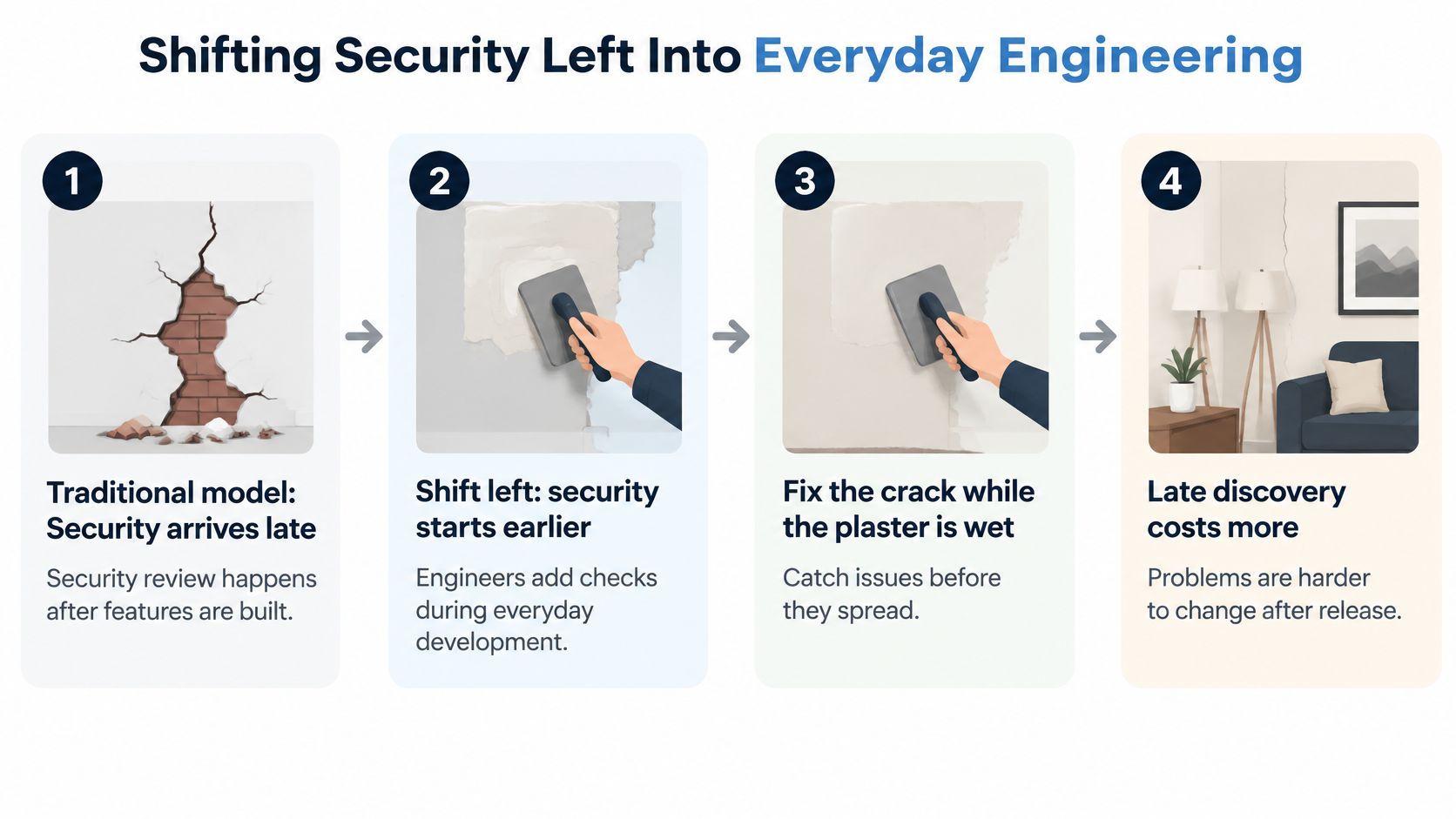
Shifting security left means checking earlier in development, like fixing a wall crack while the plaster is still wet rather than after painting and furnishing the room. It doesn't mean forcing every security activity into the developer's editor.
The distinction between early intervention and late repair is illustrated below.
The NIST DevSecOps reference model places automated security testing within CI/CD, combining techniques such as DAST, fuzz testing, and vulnerability scanning against deployable artifacts. The important detail is testing the build you intend to release, rather than a loosely related development installation.
Follow the candidate build
- The developer commits code. The change has a clear author and review context, making feedback easier to route.
- The pipeline builds the artifact. An artifact is the deployable package or image, not just the source files.
- An isolated environment receives the candidate. Production-like settings improve relevance, while disposable test data prevents contamination between runs.
- Automated security tests execute. Alongside scanners, fuzz tests send malformed or unexpected inputs to expose crashes, parser failures, and unhandled cases.
- The gate evaluates the results. The pipeline applies an explicit policy instead of leaving someone to interpret an unexplained red status.
- The approved artifact moves toward release. Preserve its identity so a later rebuild doesn't substitute something untested.
This creates a feedback loop engineers can act on while the change is still familiar. A reproducible failure should include the candidate version, relevant request, expected result, and observed behavior.
For a broader explanation of the development practice, see our guide to shift-left testing. Draw your current pipeline and mark where the first meaningful security check could move earlier without losing the context it needs.
This video provides another way to approach the shift-left concept.
Where Each Test Runs in Your Pipeline
Pipeline stages work like airport security lanes. The quick bag check happens at the entrance where people are waiting, while the thorough search moves to a separate room with time and equipment. Each security test earns its stage the same way: by how long it takes and how much of the application it can see.
| Pipeline stage | Security test | Scope | Typical runtime |
|---|---|---|---|
| Pull request | SAST on changed code | New and changed files | Scales with the size of the changed code |
| Pull request | Passive DAST baseline | Deployed pull request environment | Minutes |
| Every build | SCA dependency check | Dependencies and build files | Scales with the size of the dependency tree |
| Integration environment | Authenticated API scan with OpenAPI | Endpoints listed in the specification | Grows with endpoint count and authentication setup |
| Nightly or release branch | Full active DAST scan | Entire application within configured coverage | 30 to 90 minutes |
| Release gate | Verify no unresolved critical or high findings | Release candidate build | Results evaluation, not another full scan |
WSO2's secure-engineering guidance describes passive baseline scans running in minutes and full active scans typically taking 30 to 90 minutes, and it remains useful planning guidance even though your own timings will differ. SAST and SCA follow the same logic: their cost tracks the size of the code and the dependency tree, so time them once on your own repository before committing a stage budget.
The rule underneath the table is simple. Run fast, low-disruption checks where developers are waiting for feedback. Schedule broader attack simulations where the pipeline can provide isolation, stable credentials, and enough execution time.
Keep pull request feedback focused
Run SAST against changed code, with sufficient surrounding context for the tool's analysis. Preserve broader repository analysis separately so incremental scanning doesn't become a permanent coverage gap.
A passive DAST baseline inspects the requests and responses generated while browsing or exercising the application. It doesn't inject attack payloads, though the browsing actions themselves still interact with the target. It can identify missing security headers, insecure cookie attributes, and information disclosed in responses.
Run SCA on every build so dependency resolution, including the lock file, becomes part of the evidence attached to the candidate. Cache tool downloads where appropriate, but don't let caching prevent vulnerability information from updating.
Give deeper scans a controlled target
Active DAST sends attack payloads. Use an isolated test installation, disposable data, controlled accounts, and safeguards against contacting real payment, messaging, or customer systems.
For APIs, supply an OpenAPI specification when available. The contract gives the scanner endpoint paths and request shapes that a browser crawl may never discover. It still needs working authentication and appropriate test data; a list of endpoints doesn't guarantee successful coverage.
Connect security execution with the same environment preparation used for CI/CD integration testing. Record scan completion and authentication success separately from findings, because an empty report from a failed login isn't a clean result.
At release, require no unresolved critical or high findings under your policy. Approved exceptions must remain visible and explicitly accepted, not disappear through a broad suppression rule.
Find a pipeline stage that currently has no security evidence. Add a row naming its check, owner, target, and measured execution budget.
Cutting Noise So Developers Trust the Gates
A gate that fails on everything teaches developers to bypass it. If a harmless warning and a confirmed account-takeover path produce the same interruption, engineers can't tell which failure deserves immediate attention.
Separate severity, how damaging exploitation would be, from confidence, how strong the evidence is. Then add reachability and business context before deciding whether to block.
| Finding type | Gate action | Example |
|---|---|---|
| High severity, high confidence, reachable | Block the merge | Injection flaw in a login form |
| High severity, low confidence | Warn and triage within a set time | Possible injection flagged by pattern only |
| Known risk with documented owner and expiry | Allow and keep visible | Medium finding awaiting a library upgrade |
| Informational | Report only | Missing optional header on a static page |
| Dependency with no fix available | Allow with tracked exception after risk approval | Transitive library with no patch yet |
The last row isn't permission to ship an exploitable weakness. No available patch is a remediation constraint, not proof of safety. The owner must consider alternatives such as removing the component, disabling the affected feature, or applying a compensating control.
Make every interruption actionable
For a confirmed, reachable finding, attach a reproduction and identify the affected operation. For a pattern-only warning, assign a reviewer and a triage deadline rather than leaving it indefinitely in a dashboard.
Exceptions need an owner, rationale, scope, and expiry. Informational findings belong in a maintenance queue unless application context makes them more serious.
Full automation also isn't the normal starting point: TechTarget's reporting on IDC's June 2025 Platform Engineering and DevOps Survey says only 2.2% of 361 respondents reported that all tests were automated. Adding tools faster than your team can evaluate findings won't solve that operating problem.
Measure the quality of the signal
- Valid-finding rate shows how many reviewed findings represent genuine issues. Separate results by rule so one noisy detector doesn't undermine a useful scanner.
- Remediation time shows whether actionable findings reach someone who can fix them. Track severity separately to avoid hiding urgent work in an overall average.
- Escaped vulnerabilities identify weaknesses discovered after release. Investigate the missing test, inaccessible path, or misunderstood requirement.
- Developer override rate reveals how often engineers bypass gates. A rising rate warrants investigation into noisy rules, unreliable environments, or unclear policies.
A trusted gate explains what failed, why it matters, and what the developer should do next.
Review last month's blocked builds and classify the findings as valid, false alarms, or still uncertain. Tune the rules producing unnecessary interruptions before adding another scanner.
Designing High-Signal Tests for Critical Flows
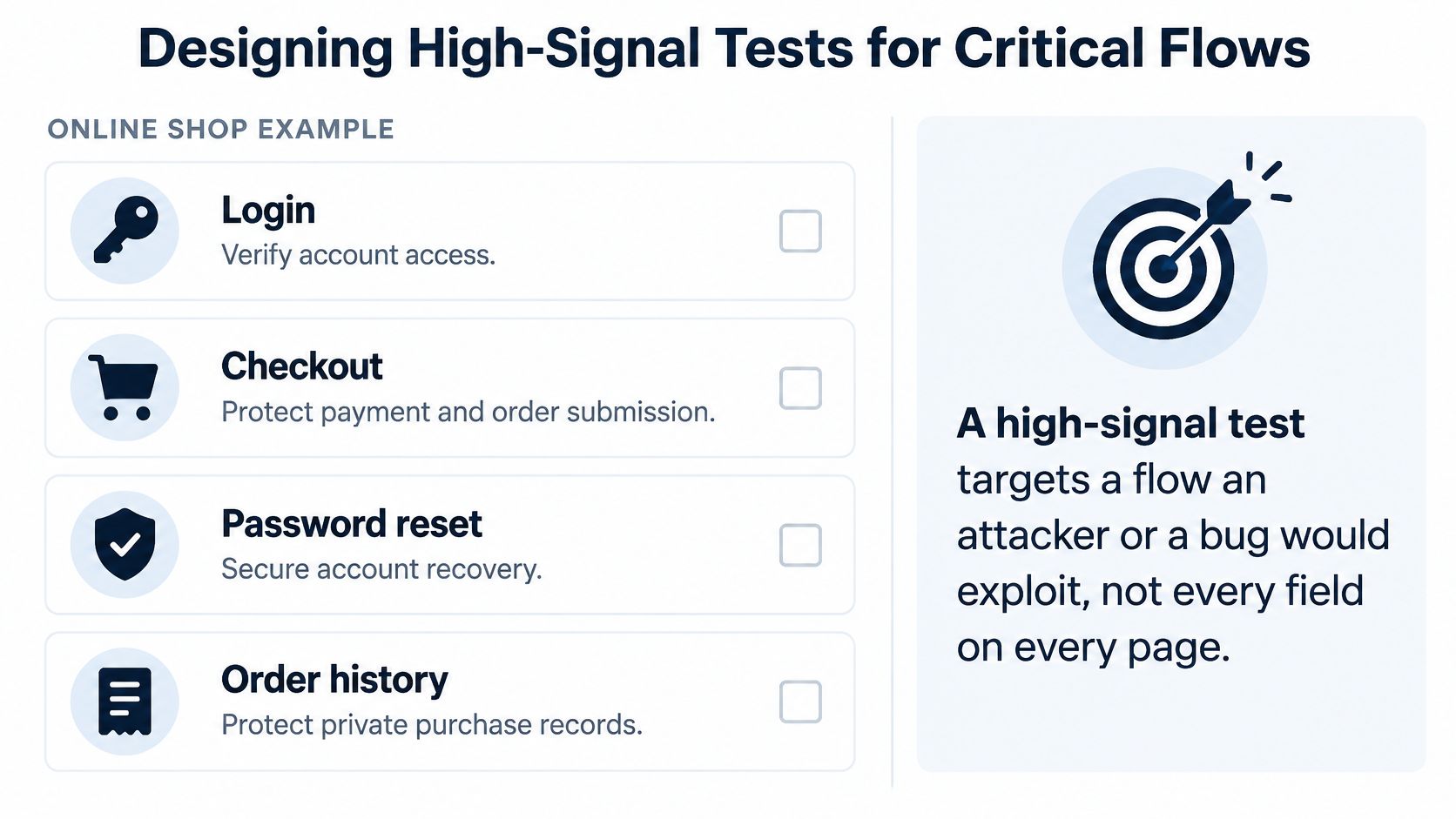
Say an online shop correctly displays an order after checkout. A normal end-to-end test confirms the receipt, but a security test signs in as a different customer and requests that same order. If the server returns it, the purchase flow works while privacy protection fails.
A high-signal test targets behavior an attacker could exploit, not every field on every page. For this shop, account access, payment, recovery, and purchase records deserve deliberate attention.
Use the flow map below to identify where sensitive decisions happen.
| Flow | Risk | Check | Gate |
|---|---|---|---|
| Order history | Broken access control | Changed order number must not reveal another user's order | Integration environment |
| Login | Brute-force guessing | Repeated wrong passwords trigger the defined lockout | Integration environment |
| Password reset | Reused or long-lived link | Reset link expires and cannot be used twice | Release branch |
| Session handling | Session theft | Session cookies are marked Secure and HTTP-only | Pull request passive baseline |
| Checkout | Price tampering | Server rejects a total changed in the browser | Release branch |
Write tests around rejected actions
For order history, create separate customers with separate purchases. Check both the response status and body: an error page that still includes someone else's address is a failure.
For checkout, intercept the outgoing request and alter the total. The server should reject the altered value or recompute the authoritative price, never trust the browser's arithmetic.
Login and recovery need explicit policies before tests can assert success. Verify the intended lockout or throttling behavior without creating an easy way for an attacker to lock out other customers. Test reset-token expiry using a controlled clock where possible, rather than making the suite wait.
Cookie attributes are necessary checks, not a complete session-security assessment. Secure restricts cookie transmission to HTTPS, while HttpOnly prevents ordinary browser scripts from reading the cookie.
Use API security testing to exercise these server-side decisions directly. Keep stateful abuse scenarios in integration environments or release branches; only move stable, quick checks into pull requests.
Prioritize flows involving money, personal information, and authentication, followed by exposed APIs and administrative operations. Choose a small set of critical flows and write a concrete security assertion for each, including the forbidden outcome and the evidence that would prove it occurred.
Testing AI-Generated Code and Your Software Supply Chain
A release can pass every code scan and still ship a risky ingredient. The product includes generated code, third-party packages, base images, build scripts, and compiled binaries, so review the artifact you deploy rather than only the files a developer edited.
SBOM creation and event-driven security checks are becoming more common in engineering teams. Treat that as a shift in habit, not proof of safety: an inventory helps only when it describes the same build that reaches users.
Verify generated code and generated repairs
- Inspect insecure patterns. Check generated database access for string-built SQL, and use dedicated secrets detection for hard-coded credentials. Generated code needs the same review standard as handwritten code.
- Replay the original exploit. If an assistant proposes an authorization fix, rerun the request that exposed another user's data. A green build shows the suite ran; it does not show the hole is closed.
- Trace indirect dependencies. Follow the dependency tree past the top-level manifest to learn which parent package pulled in the vulnerable component.
A software bill of materials, or SBOM, works like the ingredient label on packaged food. It is useful when it matches what is in the box. Attach it to the built artifact so reviewers can tell a package present in a development workspace from one shipped in the release.
Dependency updates, fresh container builds, newly disclosed vulnerabilities, and runtime configuration changes should trigger relevant checks even when nobody submits application code. For configuration changes, rerun the tests whose assumptions changed, such as access restrictions or cookie behavior.
Policy boundary: Missing evidence and confirmed exploitation risk need different handling. Don't silently accept either, but don't treat them as identical failures.
Provenance records describe where an artifact came from and how it was built. Set explicit evidence requirements, investigate gaps, and block according to documented risk and obligations rather than treating every paperwork omission as a confirmed vulnerability.
End with three questions that keep signal high: does the build produce an SBOM, does it match the deployed artifact, and who acts when its contents become risky.
Pick Your First Security Gate This Sprint
Choose the gate that blocks the most credible business risk with the least unnecessary interruption. You don't need to complete an entire security platform rollout before protecting an important release decision.
- Map the journeys the business depends on. Include sensitive and awkward flows, not only those that are easy to automate. Name the unacceptable outcome for each.
- Add SCA and focused SAST to pull requests. Assign ownership before enforcement, and make findings available where developers review changes.
- Introduce staged DAST. Connect the passive baseline to the pull request environment and schedule the full active scan nightly against an isolated target.
- Agree on the decision policy. Document severity and confidence thresholds, required evidence, and an exception path with accountable approval.
- Review actual results. During the initial review period, track valid findings, remediation time, and overrides. Keep useful rules, repair unreliable ones, and retire checks that don't support a meaningful decision.
For teams building AI features, Agntz's guide to AIBOM evidence for compliance audits is a useful companion when deciding what AI-related inventory and evidence to retain. Keep evidence collection connected to identifiable components and release decisions, rather than adding another unattended document.
We're AskYourQA, the QA automation consultancy behind this guide. On a discovery call, we map your current testing process and identify where automation can help; your team can also carry out this entire plan in-house.
Choose a single gate to introduce first. Give it an owner, define what success means, and put a results-review date on the calendar before enabling enforcement.
AskYourQA offers a free 20-minute call to map your critical flows and show how quickly an automation framework can be up and running. Visit AskYourQA to discuss where security checks fit into your delivery pipeline and which gate would provide useful feedback first.